


Spring VPN — Fresh Every Day
4.41.00 Reviews
App Specs
- Version
- 4.0.0
- Updated On
- License
- Free
- Downloads
- 100,000+
- Developer
- Baopeng Information
- Categories
- Events
- Platform
- Android
Screenshots
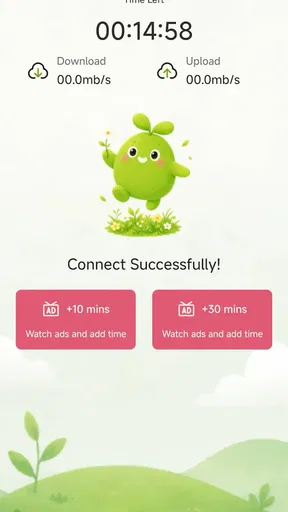
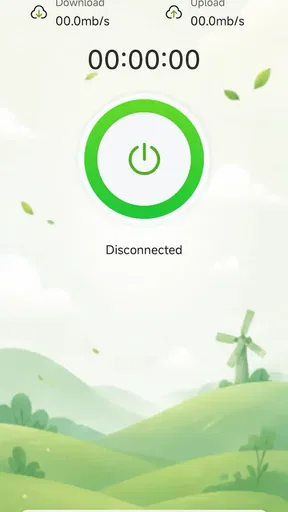
 Analysis by AppCompare
I see Spring VPN as a deliberately simple option for people who want a VPN app to feel approachable rather than technical. Its presentation suggests an easy starting point for everyday privacy, but a VPN is only as useful as the details behind its connection, and those deserve more attention than a soothing name or a quick install. My overall view is cautious: it may suit someone who wants to try a straightforward VPN, while anyone relying on one for sensitive work should first establish that it meets their specific security needs.
Start with a low-stakes test, not a leap of faith
If I were trying Spring VPN for the first time, I would begin at home or on a familiar mobile connection, not when I was rushing to complete something important on public Wi-Fi. That gives me a baseline: I can see how my usual apps behave before connecting, then check whether anything changes afterward. A calm first test makes it easier to spot trouble without confusing a temporary network problem with an app issue.
I would also decide what I want the VPN to do before opening it. If the goal is simply to route ordinary browsing through a VPN provider, a basic connection may be enough. If I need a particular country, predictable performance for a call, or access to a work system, the requirements are much more specific. That distinction matters because “VPN” describes a type of connection, not a promise that every service will suit every task.
A simple idea, with an important caveat
Spring VPN is a free app in the events category, developed by Baopeng Information. The category is an unusual fit for a VPN, so I would not treat it as an events planner or expect calendars, ticketing, or event discovery. Its short description identifies it as a VPN, which is the relevant context when deciding whether it belongs on your phone.
The app has a 4.4 average from around 40 ratings and more than 100,000 installs. Those figures suggest that people have tried it, but they are not a substitute for knowing how it handles traffic or what connection choices it offers. There is only one written review, so there is little public user commentary to help a new user judge how it behaves in different situations.
That limited feedback matters more for a VPN than it might for a casual utility. A connection icon can tell you that a tunnel is active, but it does not by itself explain the provider’s logging practices, the locations available, or how performance holds up on a crowded network. I would install Spring VPN with modest expectations and make a point of checking its current settings and privacy information before routing anything sensitive through it.
Where a lightweight VPN can be useful
The strongest case for an app like this is convenience. If I were checking ordinary websites while away from home, I would want a simple way to add a layer of protection on an unfamiliar Wi-Fi network without first learning advanced networking terms. A VPN can help shield traffic between a device and the VPN service, though it does not make a person anonymous or protect them from every online threat.
Worth Reading Before You Choose

Flipboard Shows What News Apps Must Do Beyond the Feed

Switching to Android Auto Means Rethinking Your Driving Routine

Google Calendar Makes a Crowded Week Easier to Manage

Ludo King Makes the Most of the Minutes Between Plans

Baby Panda World Brings Quick Play to Modern Phones, but Its Game Library Feels Busy

ESPN’s Live Game View Makes Following Close Games Easier
A realistic example is waiting at a café and needing to read a news site or check a non-sensitive account. I would connect before browsing, confirm that the VPN shows an active connection, and disconnect afterward if I needed the phone’s ordinary network behavior for local services. That small routine is more useful than treating the app as an always-on guarantee. A VPN does not make a fake sign-in page safe, and it cannot stop someone from giving away a password themselves.
There is also a practical trade-off that is easy to overlook: the VPN provider becomes an important intermediary for your internet traffic. Switching away from a public Wi-Fi operator does not mean there is no party to trust; it changes which party you are trusting. Before using Spring VPN for banking, work documents, or private communications, I would look for clear explanations of data handling and decide whether those answers are enough for my comfort.
What I would check before depending on it
My first step would be to inspect the app’s connection screen and settings rather than tapping through blindly. I would look for an understandable way to start and stop a connection, any choice of server location, and a clear indication of whether the connection is active. Those are checks I recommend making in the app; I would not assume a particular control or feature exists just because it is common in other VPN products.
Next, I would test the sites and apps I actually use. VPN routing can affect sign-in checks, streaming availability, location-sensitive services, and connection speed. If a site repeatedly asks me to verify my identity or a local app behaves strangely, I would disconnect and compare. That quick comparison can reveal whether the VPN is causing the problem, instead of wasting time changing unrelated phone settings.
For a more careful privacy check, I would review the provider’s privacy terms and the Android permissions requested during setup. A VPN needs network access to do its job, but unrelated permissions should have a clear reason. I would also avoid assuming that a free app has the same operating model as a paid service: free access can be convenient, yet the provider’s explanation of how the service is supported and how data is handled is part of the decision.
One useful habit is to keep a short personal test routine: connect, visit a familiar site, try one app that depends on your usual region, then disconnect and see whether normal behavior returns. This is not a technical audit, but it can catch everyday friction before you need the VPN in a hurry. If the app makes it difficult to tell whether the tunnel is active, I would not use it for a task where a mistaken connection state could matter.
Small workflow choices that prevent headaches
I would treat the connection state as something to check at the moment it matters, rather than assuming that opening the app means protection is active. Before sending a message or signing in, I would confirm the status inside the app and then load a familiar page. If either step feels ambiguous, I would pause and use the ordinary connection for anything time-sensitive instead of guessing.
There is a useful distinction between leaving a VPN connected and connecting only for a particular task. Keeping it on may suit someone who wants a consistent route while browsing, but some location-aware apps, local network devices, or services that rely on a normal connection can behave differently. A short, deliberate session can be easier to troubleshoot: connect for the task, check the result, then disconnect if something essential stops working.
I would avoid using a VPN connection as a quick workaround for every access problem. A blocked sign-in or a payment verification prompt might be caused by the VPN’s routing, but it could also be an account security check doing its job. Disconnecting and retrying on the usual network is a sensible diagnostic step; repeatedly changing locations or restarting the phone without a clear reason is less useful and can make the source of the issue harder to identify.
How it compares with familiar alternatives
Compared with manually configuring a VPN through Android’s built-in network settings, a dedicated app is usually the more approachable route for someone who does not want to enter connection details by hand. The trade-off is that the app’s provider and its service choices become central to the experience. Manual setup can give a technically confident user more control over a chosen VPN service, but it is not automatically more private or better-performing.
Compared with established paid VPN services, Spring VPN’s free access removes the immediate subscription decision, which makes it easier to try. The other side of that bargain is that I would want especially clear answers about server options, reliability, support, and privacy before making it my regular connection. A paid alternative may be preferable when a person needs a known server region, dependable access for work, or a provider with detailed public documentation.
It also should not be confused with a browser’s private mode. Private browsing can limit what is saved locally in a browser session, while a VPN changes how network traffic is routed. Neither one erases activity from every service a person visits, and neither replaces sound account security. Choosing the right tool depends on the problem: use private browsing for local history concerns, and consider a VPN when you specifically want traffic routed through a VPN provider.
For someone who mainly wants to avoid leaving browsing history on a shared phone, private mode is often the more direct and simpler choice; a VPN does not solve that local-history concern by itself. For someone who wants to route traffic through a separate provider while on an unfamiliar network, a VPN is the relevant tool, but the provider’s practices then deserve attention. I would choose between them based on the actual concern rather than treating one as a stronger version of the other.
Who is likely to get the most from it
I would put Spring VPN on the shortlist for a curious, nontechnical Android user who wants to explore a free VPN and is willing to check the basics rather than assume the app solves everything. It may also be reasonable for low-stakes browsing on the move, provided the connection is easy to verify and the user is comfortable with the provider’s privacy explanation.
Imagine a person using a library or café network to read public information while waiting for an appointment. They do not need a precise overseas location or a dependable connection for a live work meeting; they want a simple extra routing option and can test that their normal pages still load. That is a more sensible fit than someone who has to maintain uninterrupted access to a company system or cannot afford delays during a call.
I would steer away from relying on it as the sole safeguard for confidential business activity, high-risk communications, or a task that depends on a particular location or consistent performance unless its current documentation and behavior satisfy those needs. Someone who wants transparent technical details, a broad set of known locations, or hands-on support may be better served by comparing established providers first. The right choice is not simply the app with the easiest first tap; it is the one whose limits you understand.
The app is free, is rated for Everyone, and its current version is 4.0.0. It was released on July 16, 2026, and requires Android 7.0 or later. Those details make the installation threshold clear, but they say little about how well it will work on a particular phone or network, so I would still test it in the setting where I plan to use it.
My recommendation after weighing the trade-offs
My verdict is that Spring VPN is worth considering as an uncomplicated, no-cost starting point, not as an automatic answer to every privacy concern. The modest amount of written feedback makes careful personal testing more important, and the unusual events category is a reminder to focus on the VPN description rather than infer its purpose from the category label.
If I were recommending it to a friend, I would say: try it for ordinary browsing, check its privacy terms and permissions, and confirm that your everyday apps still behave as expected. Keep it off the critical path until you understand how it handles your connection. That balance—easy to try, but worth verifying before you trust it—is the fairest way to approach Spring VPN.
Pros
- Simple setup makes it approachable for VPN newcomers.
- Useful for securing connections on public Wi-Fi.
- Can help mask your IP address from websites.
- A straightforward option for occasional private browsing.
- Lightweight design is easy to navigate.
Cons
- VPN protection does not guarantee complete online anonymity.
- Connection speed may vary depending on server load and distance.
- Some websites and streaming services may block VPN traffic.
- Check the privacy policy to understand what data is collected.
- A VPN does not protect against malware or phishing scams.
FAQs for Spring VPN — Fresh Every Day
What is Spring VPN — Fresh Every Day, and what does it do?
Spring VPN — Fresh Every Day is a virtual private network app intended to route your internet traffic through a VPN server. Depending on the service and the server you choose, this may help protect traffic on public Wi-Fi or provide an IP address associated with another location. Its exact features, server coverage, and privacy protections can change, so review the current app listing and privacy policy before relying on it.
Is Spring VPN — Fresh Every Day free to use?
Availability and pricing can vary by platform, region, and app version. Check the Google Play or App Store listing for the current download cost, in-app purchases, subscription terms, and any limits on free use. If the app offers a trial or recurring plan, read the renewal and cancellation details carefully; uninstalling an app generally does not cancel a subscription managed through your app-store account.
Does Spring VPN — Fresh Every Day keep logs or protect my privacy?
A VPN can hide your traffic from some local network observers, but it does not make you completely anonymous or protect you from every online threat. Your VPN provider may be able to handle connection data, so check Spring VPN’s current privacy policy for what information is collected, how long it is retained, and whether it is shared. Avoid entering sensitive information unless you trust the service and understand its policies.
Can I use Spring VPN — Fresh Every Day to access content from another country?
A VPN may let you connect through servers in different locations, but the available locations and their reliability depend on the app’s current network. Streaming services, websites, and games can block VPN connections or restrict access based on their own rules, so access is not guaranteed. Check the app’s server options and the terms of the service you want to use before changing your apparent location.
What should I check before installing Spring VPN — Fresh Every Day?
Confirm that the app is compatible with your device and operating-system version, and install it only from an official app store or another source you trust. Review its developer information, permissions, recent reviews, privacy disclosures, and subscription details. A VPN also requires permission to create a network connection on your device; grant only the permissions needed, and test connection stability and speed before depending on it for important activities.


